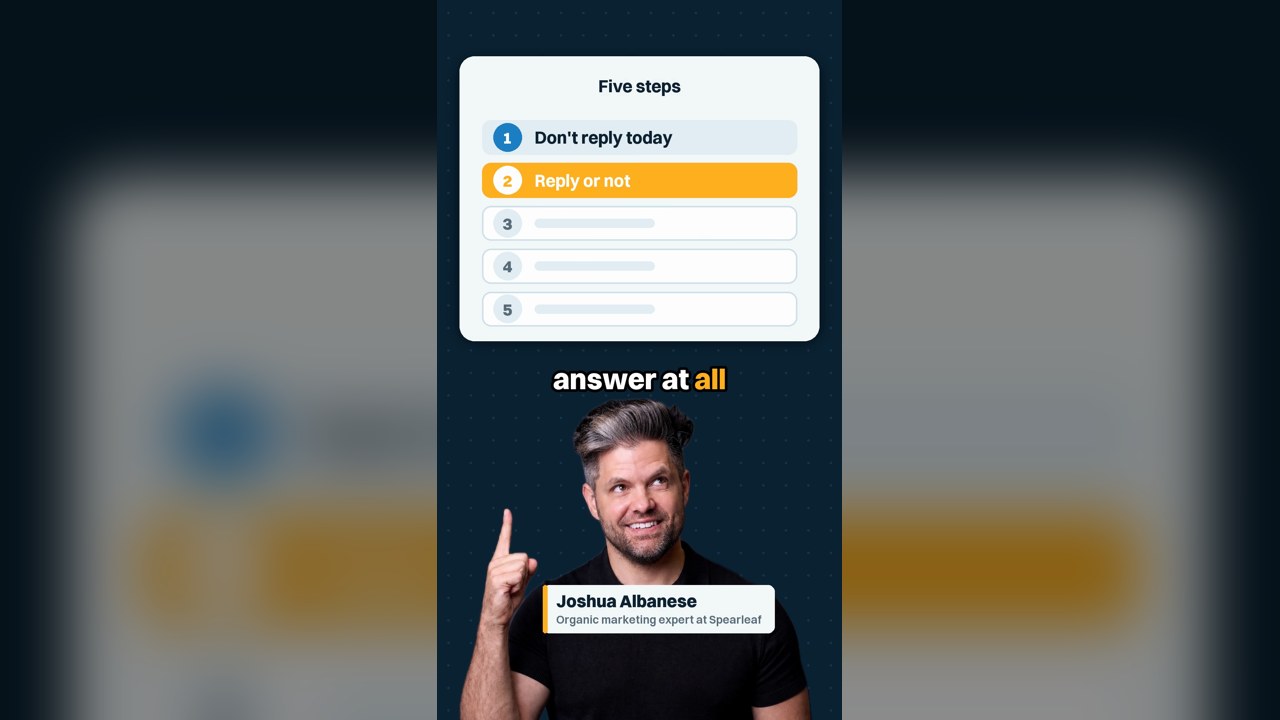
Lawyer reputation management protects what prospective clients read about your firm while keeping every client confidence intact. It covers answering a one-star review, flagging reviews that break Google's rules, and earning more honest reviews over time. In a short video, Joshua Albanese walks an attorney through the morning a one-star review lands.
What is lawyer reputation management?
Lawyer reputation management shapes what people find when they look up your firm: reviews, replies, directories and search results. Google's Business Profile help says more reviews and positive ratings can help a business's local ranking. Treat your reviews as part of intake, because a prospect can read them before ever calling you.
Word of mouth works, but you want more consistent lead flow, and even a referred client can search your name first. Being good at your work is the starting point. Most firms still need help getting found online by the people already looking for them.
You'll also hear it called attorney reputation management or online reputation management for lawyers. The job is the same. For a lawyer, it carries one rule that general review advice skips: confidentiality.
What to do the morning a one-star review lands
Skip the same-day reply, and then decide whether to reply at all. Use the five steps below in order, and agree on them as a firm before you need them. ABA Formal Opinion 496 says lawyers "should consider not responding to a negative post or review."
- Don't reply today. An angry draft usually ends up explaining the client's case, which is the one thing you can't do.
- Decide whether to answer at all. Often the best move is no reply. Check your state bar's rules and ethics opinions.
- If you reply, use one of two short lines, covered below, and say nothing about the matter.
- Flag the review through your Business Profile only if it breaks Google's posted rules.
- Walk away from anyone promising to make it disappear. Start the slow fix: more honest reviews over the coming months.
Why ABA Formal Opinion 496 limits what a lawyer can say
Opinion 496 limits replies because Model Rule 1.6 bars revealing information relating to a representation without consent or an exception. The ABA's ethics committee held in January 2021 that a negative review, alone, doesn't trigger the self-defense exception. Keep every detail of the matter out of your reply, even facts that seem harmless.
Rule 1.6(b)(5) lets a lawyer reveal information in a "controversy between the lawyer and the client" when reasonably necessary. The committee found an informal online review is not that kind of controversy. Even if it were, it said a public reply would go beyond what the rule allows.
The duty also covers details that could lead someone to confidential information, and facts in the public record. The committee cited its Formal Opinion 480 for the point that public-record information is still confidential. So "he skipped two payments" is out, and so is "the judge ruled against him."
Lawyers disciplined for review replies, and where state bar rules differ
Lawyers have been disciplined for these replies. Opinion 496 lists a Colorado lawyer suspended for six months after revealing former clients' criminal charges in review responses (People v. Isaac, 2016). It also lists an Illinois reprimand for an Avvo reply that described the client's conduct (In re Tsamis, 2014).
The opinion applies the ABA Model Rules, and it says each state's rules and opinions are controlling. It notes that Colorado and District of Columbia opinions allow some limited disclosure, and the ABA disagrees with Colorado's view.
Check your state bar's rules and ethics opinions before you post anything. When in doubt, the safest reply is the shortest one.
Two reply lines that protect client confidentiality
If you decide to reply, Opinion 496 gives two safe shapes, and neither says anything about the matter. Google's review tips tell businesses to "reply to reviews and share your perspective," which a lawyer usually can't do. This is a confidentiality-first reply plan: one line or none.
-
An invitation to talk privately. The opinion's example: "Please contact me by telephone so that we can discuss your concerns."
-
A statement that you can't respond. The opinion's sample: "Professional obligations do not allow me to respond as I would wish."
-
Use the first line only if you will follow up. The opinion warns that inviting a call and doing nothing "risks additional negative posts."
-
Pick one line as a firm and write it down, so nobody improvises at eleven at night. I recommend one named person approves every reply before it posts.
-
Write for the next reader, not the reviewer. Google's tips say replies are public and to never share a reviewer's private information. Picture the defendant's mother searching your name at midnight.
When the reviewer never hired your law firm
A review from someone who never hired you still calls for care, because the post may touch a real client's matter. Opinion 496 says you owe no ethical duties to a poster who was never a client. Check who wrote it, and what the post touches, before you decide anything.
-
Never a client, and no real matter involved. The opinion says you may simply state that the poster is not a client or former client.
-
An opposing party or a client's relative writing about a real case. The opinion warns that even a general denial may reveal your involvement. Ask your client for informed consent first, and discuss the wording with them.
-
Someone turned down at intake. ABA Model Rule 1.18 makes them a prospective client, and you "shall not use or reveal" what they shared, except as Rule 1.9 permits. Keep intake details out, and check your state bar's version.
What Google removes from a law firm's reviews
Google removes a review only when it breaks Google's posted content policies. Google's help page on reporting reviews says "only those that violate Google policies are eligible for removal," and that Google doesn't get involved in disputes. Flag a review when it clearly fits one of the categories in Google's Maps content policy, such as these.
-
Fake engagement, meaning content that is not based on a real experience.
-
Conflicts of interest, such as reviews from current or former employees or from competitors.
-
Harassment and personal attacks.
-
Personal information posted without the person's consent.
-
Off-topic content, including general, political or social rants.
How to flag a review and ask Google to remove it
Flag it from your Business Profile, pick the policy it breaks, and track the decision. Google's reporting page says evaluation "typically takes several days," with one appeal allowed. If the profile itself needs work, start with Google Business Profile optimization.
- Open your Business Profile, select Read reviews, then select Report next to the review.
- Choose the reason that matches a posted policy, such as spam or a conflict of interest.
- Check the status in Google's Reviews Management Tool.
- If Google finds no violation and you disagree, file the one-time appeal.
- Keep any note to Google client-free. Opinion 496 allows saying a post is inaccurate, or that you never represented the poster.
Removal promises are a lawyer reputation red flag
The pitch often arrives the same day: a company offering to make the review disappear. Walk away. Google decides what comes down under its own policies, so nobody outside Google controls the result.
Owners in other trades have learned this the hard way. One wrote on r/smallbusiness that "the 'guaranteed page 1' guys are the worst because they prey on people who don't know better."
Ask any vendor who writes and approves replies, how its review requests follow Google's policy, and whether you keep owner access to your profile. A vague answer to any of those is your answer.
Defamation, legal threats and the FTC review rule for lawyers
A review that states false facts about you may be defamatory, and that question belongs with a defamation lawyer. A lawsuit is public, and Opinion 496 still bars revealing client information in any response. Weigh the attention a suit can bring against the harm of one post.
Threats carry their own risk. The FTC's consumer review rule, in effect since October 21, 2024, bars using "an unfounded or groundless legal threat" to stop or remove a review. The FTC says you can threaten legal action when you have a legitimate basis.
Check your engagement agreement too. The FTC's guide to the Consumer Review Fairness Act says form contracts can't include a term that "bars or restricts" a customer's review or penalizes one. Remove any no-review or non-disparagement clause from your standard engagement letter.
How to ask clients for Google reviews within the rules
Ask every client at a natural good moment, offer nothing, and let them say what they want. Google's policy bars merchants from choosing to "selectively solicit positive reviews from customers," and from offering incentives. Build the ask into your matter-closing checklist so it reaches everyone.
-
Google bans incentives such as "payment, discounts, free goods and/or services" for posting, changing or removing a review. It also bans discouraging negative reviews, on-the-spot pressure, requested content, and staff review quotas.
-
The FTC rule bars incentives tied to a review "expressing a particular sentiment," and it bars fake reviews. Asking only happy clients isn't named in the rule, but the FTC says it "could violate the FTC Act."
-
ABA Model Rule 7.2(b) bars giving "anything of value to a person for recommending the lawyer's services," with narrow exceptions. Check how your state bar applies it to reviews.
Timing, privacy and the slow fix for law firm reviews
Timing matters for lawyers. In criminal defense or immigration work, some clients won't want their name next to the matter, so keep the ask private and optional. Never suggest what to write about the case.
I'd send the link straight from your profile. I cover where to find it in how to get your Google review link.
This is the slow fix. Over months, one star becomes one voice among many, and Google says more reviews and positive ratings can help local ranking. For the longer view, read how to improve your Google rating.
Avvo, Martindale and Justia profiles in your firm's reputation
Directory profiles are part of what people find about you, so claim yours and keep the facts current. Avvo's help page says its rating cannot be bought, and that it gives no numerical rating to profiles an attorney hasn't claimed. The same page says peer endorsements affect the Avvo Rating, and reviews don't.
Claim your Martindale-Hubbell and Justia profiles as well. Match your name, address, phone and practice areas to your website and Google profile. Judge any paid directory upgrade by the calls you can trace to it.
If a bad article or post shows up for your name, the lasting answer is more accurate pages about you. Your bio, published articles, bar activity and speaking listings all give a searcher something better to read.
What ChatGPT reads about a law firm's reputation
ChatGPT reads review sites and lawyer directories before it answers, so those profiles shape what it says about firms. In my August 2026 study, attorneys.superlawyers.com was the most-cited site in 15 of 18 personal-injury lawyer markets. Ask ChatGPT about your practice area and city, and note which directories it cites.
That finding covers one wave of personal-injury searches, so treat it as a pattern to check for your own practice area. Across all businesses in the study, review volume was associated with being shown. I report that as descriptive, not causal.
How to measure attorney reputation management with tools you already have
Measure it monthly with numbers you can see yourself: review count, average rating, replies sent, and how new clients found you. Google's performance report counts how many times people tapped the call button on your Business Profile. Put those numbers in one sheet on the first of each month.
- Write down your Google review count and average rating on the same day each month.
- Log every reply: the date, which of the two lines you used, and who approved it.
- Record each flag you filed and Google's decision from the Reviews Management Tool.
- Note calls from the profile in the performance report. A tap isn't an answered call.
- Ask every new client how they found you and whether they read your reviews. Add it to your intake form.
- Each quarter, search your name and firm in Google and ChatGPT, and note what shows first.
Reputation management for law firms that keeps client confidences
At Spearleaf, I run reputation management for service businesses: review requests, monitoring, and reply drafting. For a law firm, I recommend the firm approves every reply, the two-line plan stays in place, and nothing about a client's matter goes public.
Talk to Spearleaf about reputation management
- Read more: how to improve your Google rating.
- How to get your Google review link shows where to find it.
- The study: how ChatGPT picks a local business.