Free Chrome extension

Free Website Tracking and Lead Checker

You pay for SEO and ads to bring people to your site. Then a visitor wants to call and the number can't be tapped. The booking button goes nowhere. The form asks for eleven things. Any of these can cost you a lead on your own page, and a missing tag means you never see it happen.

Website Tracking Checker is a free Chrome extension from Spearleaf. Click its icon on a supported web page and it lists what it finds, in plain English, with a fix for each one.

Coming soon to the Chrome Web Store Get a free market audit
Free, no sign-up.
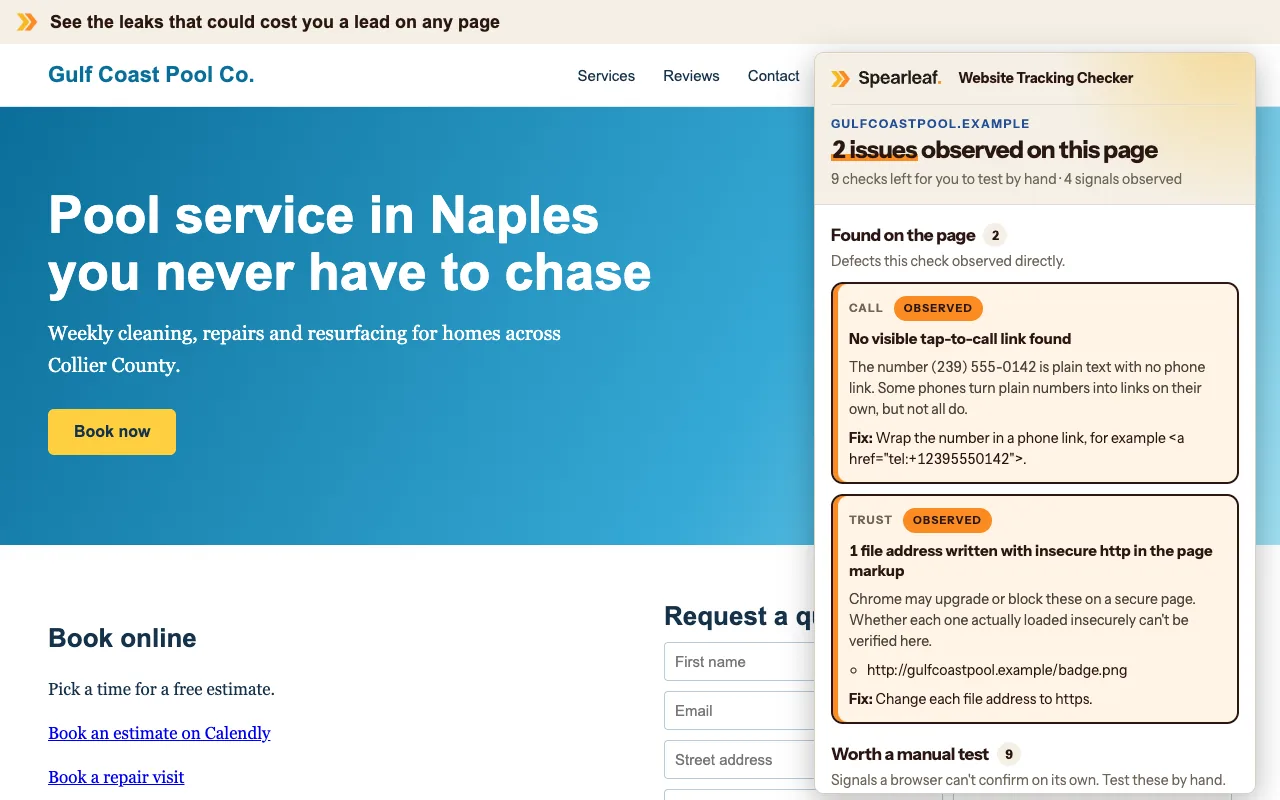
The Website Tracking Checker panel open on a pool service website, showing 2 issues observed: a phone number with no tap-to-call link and a file address written with insecure http.
The panel on a page with leaks found.

Website Tracking Checker looks at seven things on every page

Your phone number

Is there a click to call link, or is the number plain text a phone can't dial? Do the number in the link, the number on the page and the number in your structured data match? If a call-tracking script is on the page, the extension says so, because those swap numbers on purpose.

The top of your page

Can a visitor see a call or booking button without scrolling? The check uses your window size, and reminds you to check again at phone width with Chrome's device mode.

Booking and contact links

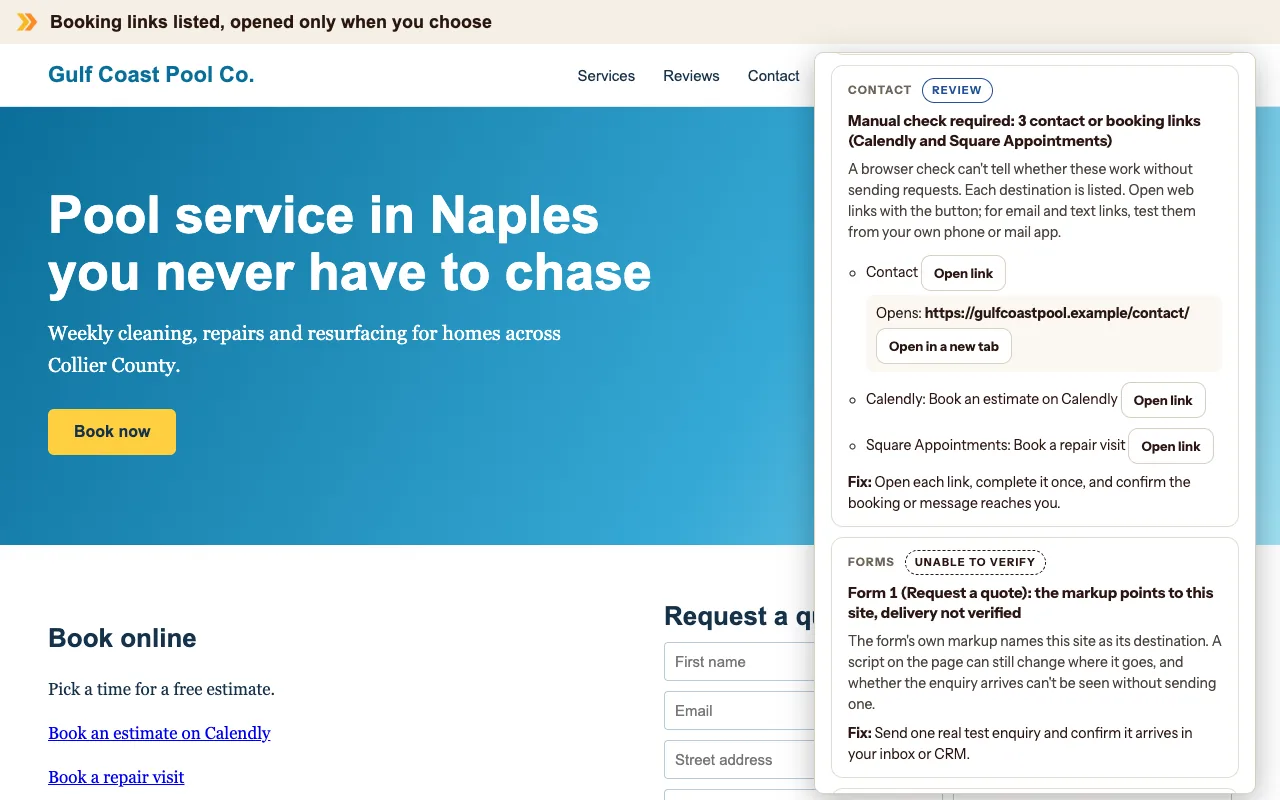
Links to Calendly, GoHighLevel, Acuity, Square, Vagaro, Mindbody, Jane and 27 other booking tools are listed with where they go, along with email, text and contact page links. Empty buttons, "#" links and malformed targets are flagged. You see each destination before you choose to open it.

Your forms

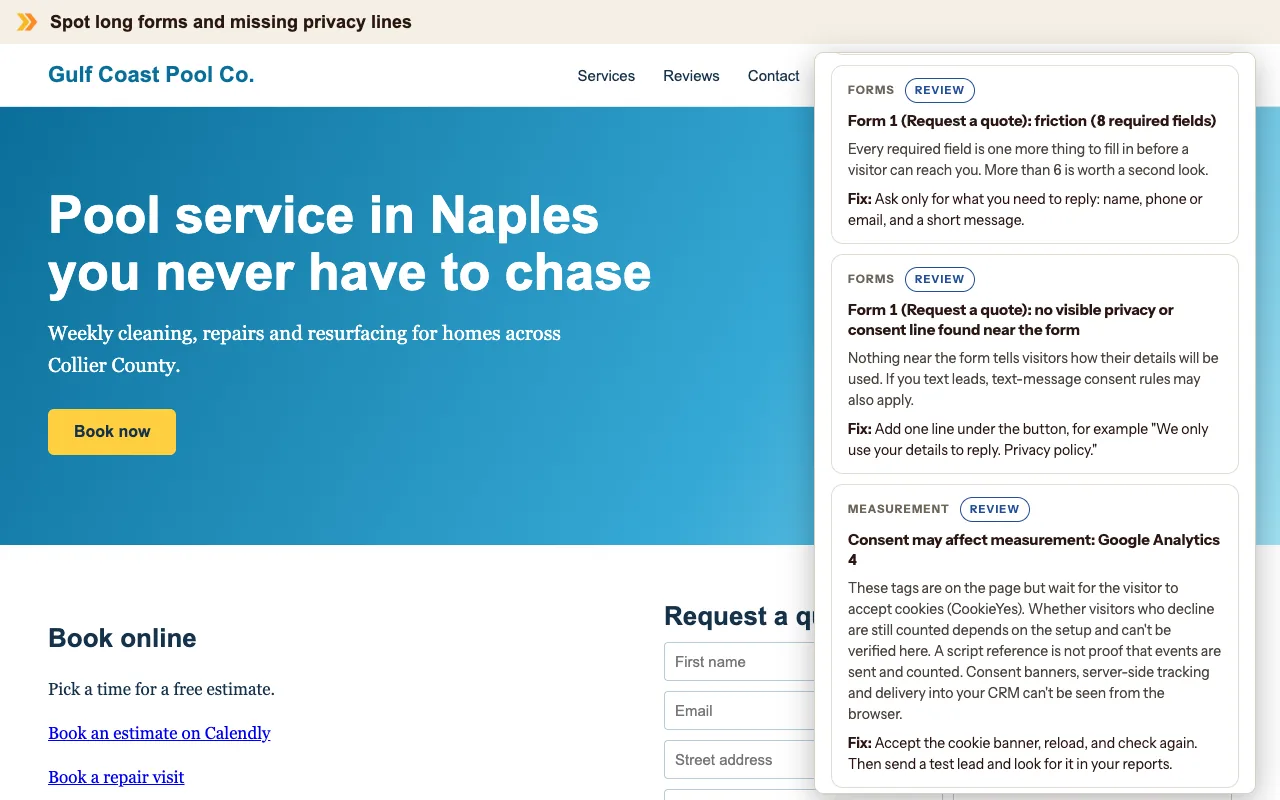
Each form is checked for a visible submit button, where its markup says it sends, how many fields are required, and whether a visible privacy or consent line sits near it. Where an inquiry actually goes can't be seen from a browser, so every form is marked for a manual test. The extension never calls a form broken when it can't be sure.

Your tracking tags

Google Analytics 4, Google Tag Manager, Google Ads, Meta Pixel and the common call-tracking scripts. Think of it as a tag finder that also works as a Facebook pixel checker, a Google tag checker and a Google Tag Manager checker, all in one panel. It also spots tags that wait for cookie consent. Consent can change what is measured, and some setups still send limited signals, so the extension marks this for review rather than saying visitors are missed.

Trust signals

HTTPS, file addresses written with insecure http in the page markup, and a visible address and opening hours. An address that only sits in structured data is flagged as not visible.

Page speed for reference

The Largest Contentful Paint for this page load, shown next to the 2.5 second mark that Google's guidance calls good. It is a reference only, never counted as a leak.
Website Tracking Checker reports what it sees

A browser can see signals. It can't prove a lead arrived in your inbox. So results come in two groups:

Each result carries one of four labels: Observed, Review, Unable to verify or Not applicable. There are no scores and no "all clear" stamps. A clean result does not mean leads are arriving.

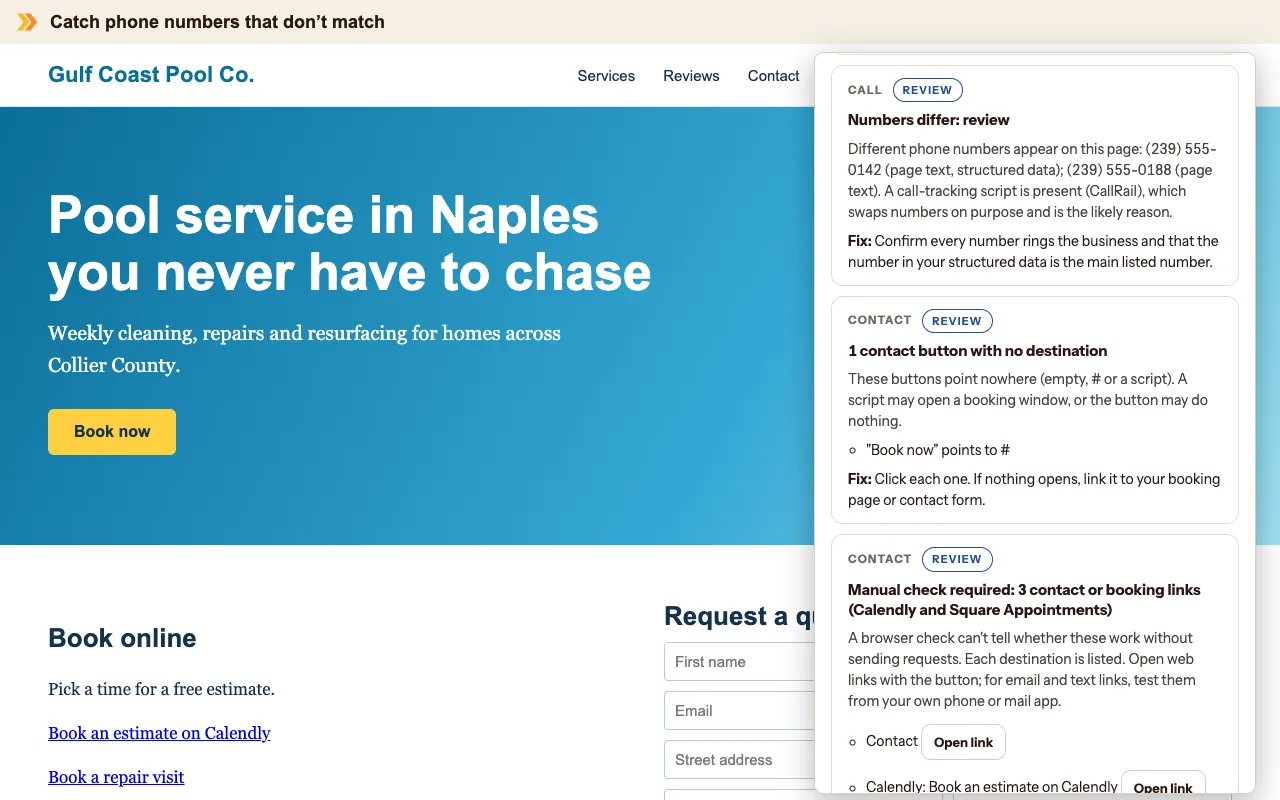
Website Tracking Checker result titled Numbers differ, listing two phone numbers on the page and noting a call-tracking script that swaps numbers on purpose.
Catch phone numbers that don't match.
Website Tracking Checker results for a quote form with 8 required fields and no visible privacy or consent line near it.
Spot long forms and missing privacy lines.
Website Tracking Checker listing three contact and booking links, including Calendly and Square Appointments, each with an Open link button.
Booking links listed, opened only when you choose.

Website Tracking Checker sends nothing

The check reads the page you're on and nothing else. It sends no requests, submits no forms and clicks nothing, so it can never create a fake lead or a false conversion. It runs only when you click the icon, and only on that tab. No account, nothing stored. Links open only when you choose them.

Privacy details

Install Website Tracking Checker in three steps

  1. Open the Website Tracking Checker page in the Chrome Web Store and click Add to Chrome.
  2. Click the puzzle-piece icon in Chrome's toolbar and pin Website Tracking Checker so it is always in your toolbar.
  3. Open any page on your website and click the icon.

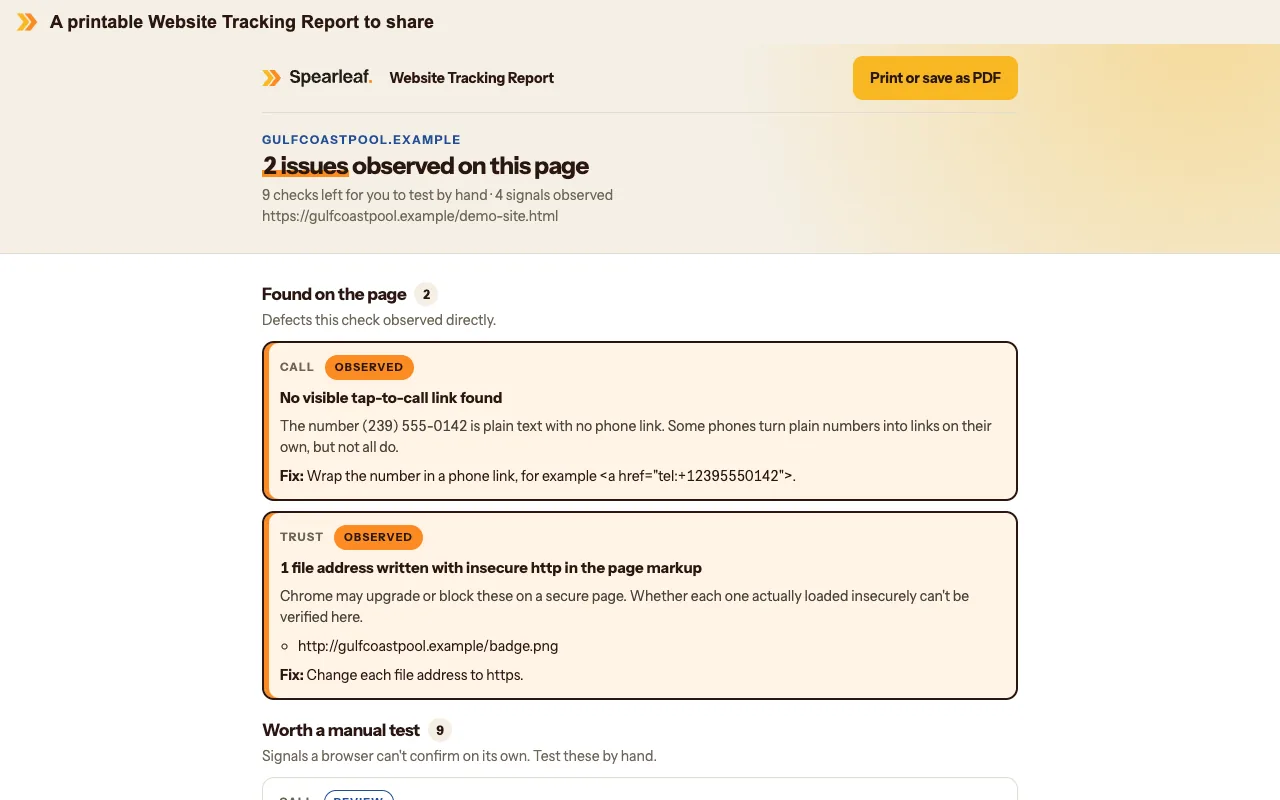
When you're done, click Printable Website Tracking Report to print it or save it as a PDF for your web designer. Work through it page by page and it doubles as your website audit checklist.

The printable Website Tracking Report with a Print or save as PDF button, showing 2 issues observed and 9 checks left to test by hand.
A printable Website Tracking Report to share.

Run one real test lead yourself

The extension shows the signals. Only a real test proves the whole path works. Once a month, and after any website change, run this ten-minute test:

  1. Send the form. Fill in your own form with a name like "Test Lead" and a real email you can check. Note the time.
  2. Check it arrived. Confirm the inquiry reached the inbox or CRM it should, and that the right person was notified.
  3. Call the number. From a mobile phone, tap the phone number on the page. Confirm it rings the business and, if you use call tracking, that the call shows in your call-tracking dashboard.
  4. Book a test appointment if you take bookings online, then cancel it.
  5. Check the analytics event. In Google Analytics 4, use DebugView or a test property if you have one, or the Realtime report, and confirm your lead event appears for the test.
  6. Check ad reporting separately. Google Ads and Meta need an eligible ad interaction, and a visit straight to the site does not create an ad conversion. Use each platform's own event diagnostics, and expect setup-dependent delays before conversions show.
  7. Clean up. Deleting the test from your CRM does not remove events your analytics or ad platforms already recorded, so label the test clearly and ignore it in reports.

If a step fails, that is worth investigating. A missing ad conversion alone does not prove a leak.

Website Tracking Checker questions

Yes. No account, no sign-up and no paid version.

No. The check runs inside your browser and sends no requests. Nothing is stored. The only time anything leaves your browser is when you click a link yourself.

Not fully, and it says so. It shows the tags it can see on the page. Consent banners, server-side tracking and delivery into your CRM happen where a browser can't look. The test lead steps above are the way to be sure.

The number in your tap-to-call link, the number shown on the page and the number in your structured data are not all the same. Sometimes that is on purpose: call-tracking tools swap numbers to measure calls, and pages for several locations show several numbers. Sometimes it is an old number nobody updated. Check that every number rings the business.

Many forms are sent by a script or sit inside a frame from another service. A browser can't see where those go without sending them, and this extension never sends anything. Send one real test inquiry instead.

Website Tracking Checker runs in Chrome on a computer. To see your page as a phone visitor does, use Chrome's device mode (Developer Tools, then the phone icon), reload the page and run the check again.

No, one page at a time, the page you're on. To check your homepage, use the Spearleaf homepage check, which covers the homepage only.

Spearleaf fixes lead leaks

Found issues you want fixed? The free market audit is a search-visibility review of your market.

Get a free market audit