Free Chrome extension

The AI SEO Checker Shows What Your robots.txt Tells AI Crawlers

A free Chrome extension for business owners, web designers and SEOs. Click the icon on a supported public http or https page and see what your robots.txt rules tell the crawlers of ChatGPT, Claude, Perplexity, Google and Bing, and how much of the page's words and business details are in the HTML before any JavaScript runs.

Coming soon to the Chrome Web Store Get the free market audit
Free, no sign-up. No score. Your report stays on your device.
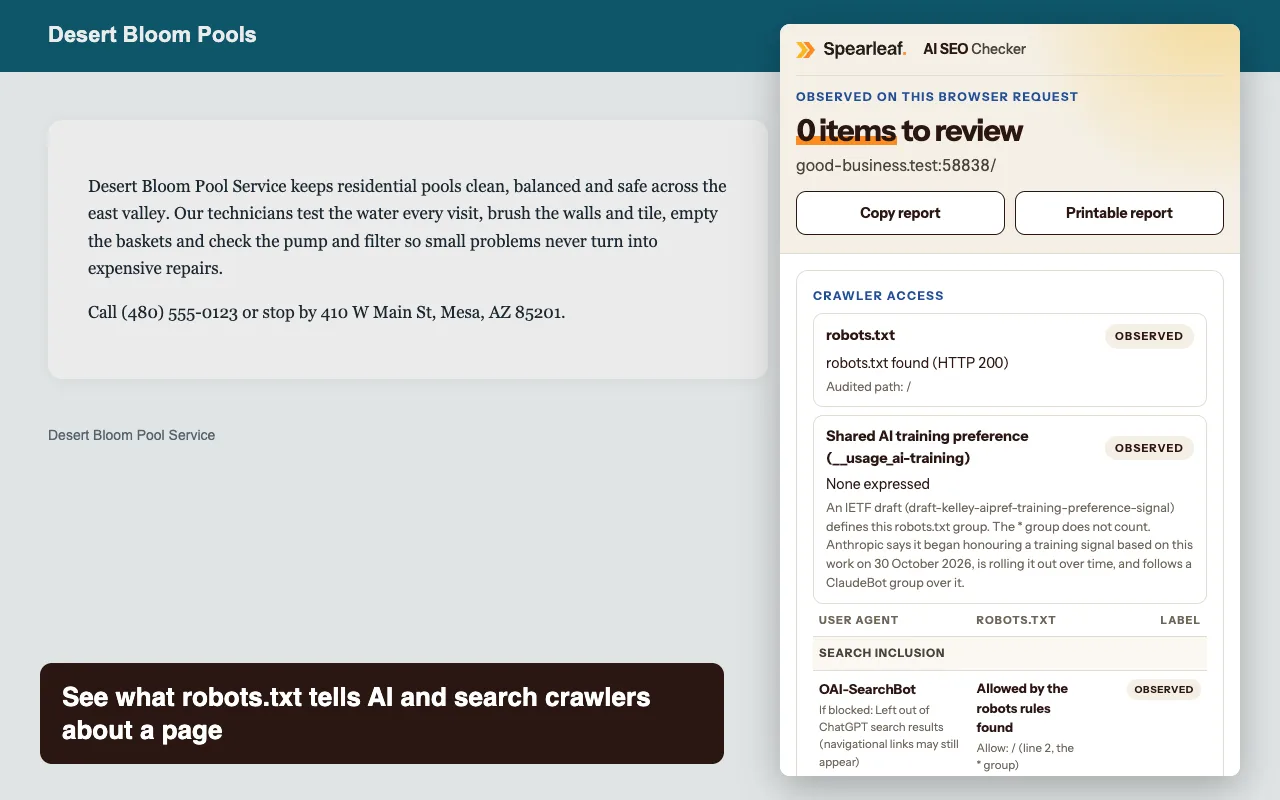
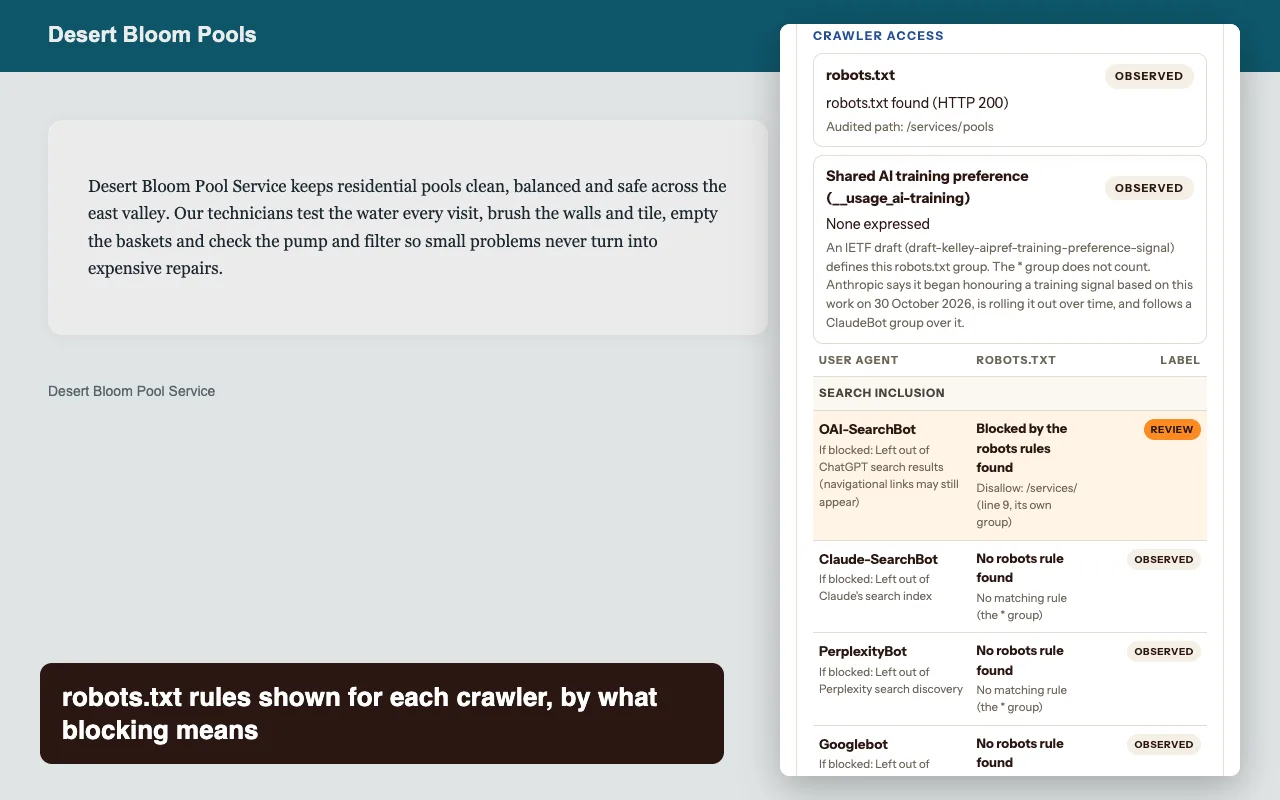
The AI SEO Checker panel open on a pool service website, showing 0 items to review and a robots.txt table for OAI-SearchBot and other crawlers.
The panel on a page with a readable robots.txt.

SOCi Found ChatGPT Recommended Few Brand Locations

In SOCi's 2026 Local Visibility Index, which looked at more than 350,000 locations across 2,751 multi-location brands, ChatGPT recommended 1.2% of the brand locations in that study.

Nobody can see inside those recommendations. You can check the basics, though: what your robots.txt asks the AI crawlers to do, and whether there is anything on the page they can read without running JavaScript.

The Checker Reads Your robots.txt for Each Crawler

Your robots.txt file tells crawlers what they may fetch. The checker matches your page against it the way the robots.txt standard (RFC 9309) describes, crawler by crawler, and shows the rule that decided each one: allowed by the rules found, blocked by the rules found, or no rule found. A rule is a request to the crawler. The checker cannot see what a crawler actually does.

The check itself fetches robots.txt once and does not follow redirects. If your robots.txt redirects (for example to the www host), the table shows "Unable to verify" and says which address it asked for, instead of guessing.

It groups crawlers by what blocking them asks for:

The AI SEO Checker crawler table listing each AI and search crawler with the robots.txt rule that decided it and a label.
Each crawler with the rule that decided it.

The Checker Compares Your Raw HTML With the Live Page

Google renders JavaScript before it reads a page. A December 2024 study by Vercel found that none of the major AI crawlers it tracked did. If your main text only appears after JavaScript runs, those crawlers may see an empty page.

The checker takes the main content of the page as it arrives from your server and as it shows in your browser, and estimates how much of the live text was already in the raw HTML. It matches runs of five words in the same order, leaves hidden text out and counts your <noscript> fallback text. When the main region only exists after JavaScript runs, it says so instead of giving a percentage.

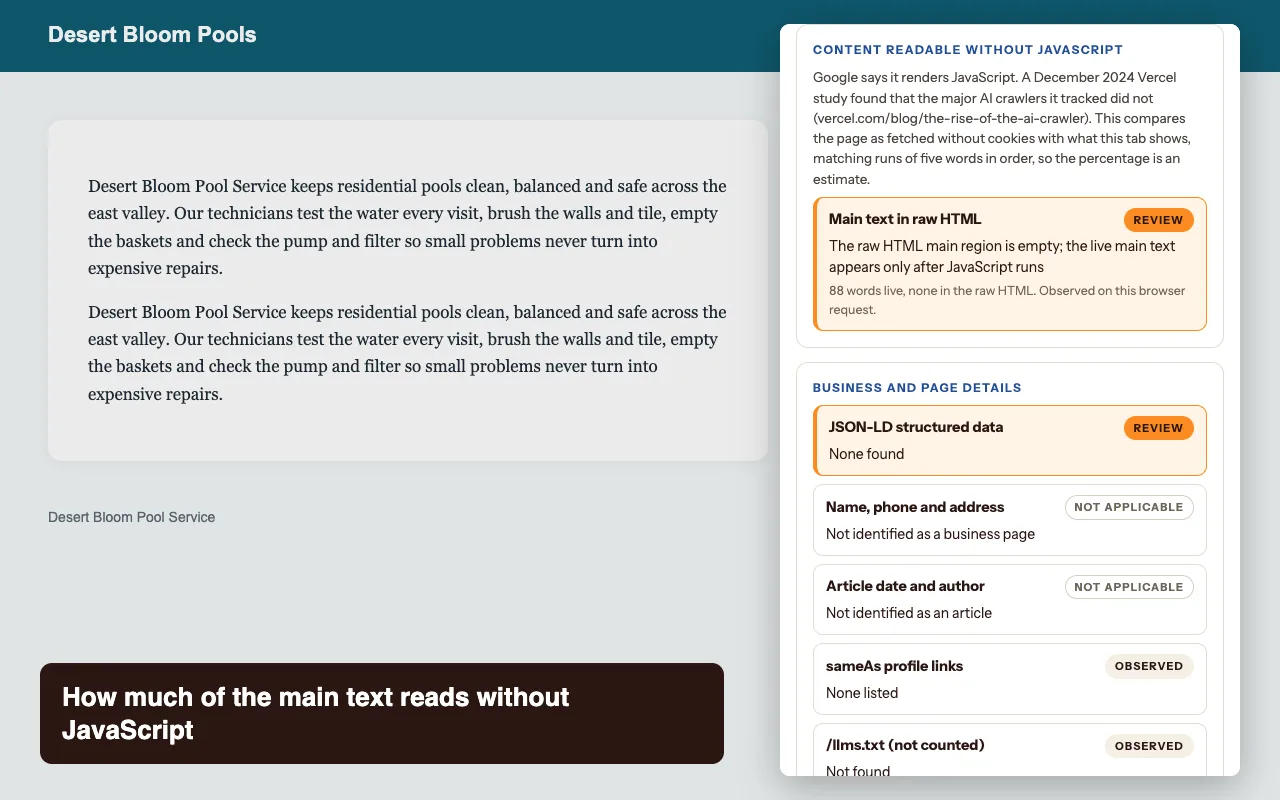
The AI SEO Checker reporting that the main text of a page appears only after JavaScript runs, with 88 words live and none in the raw HTML.
A page whose main text only exists after JavaScript runs.

The Checker Lists Your Indexing Signals

The Checker Matches Your Business Details to Your Schema

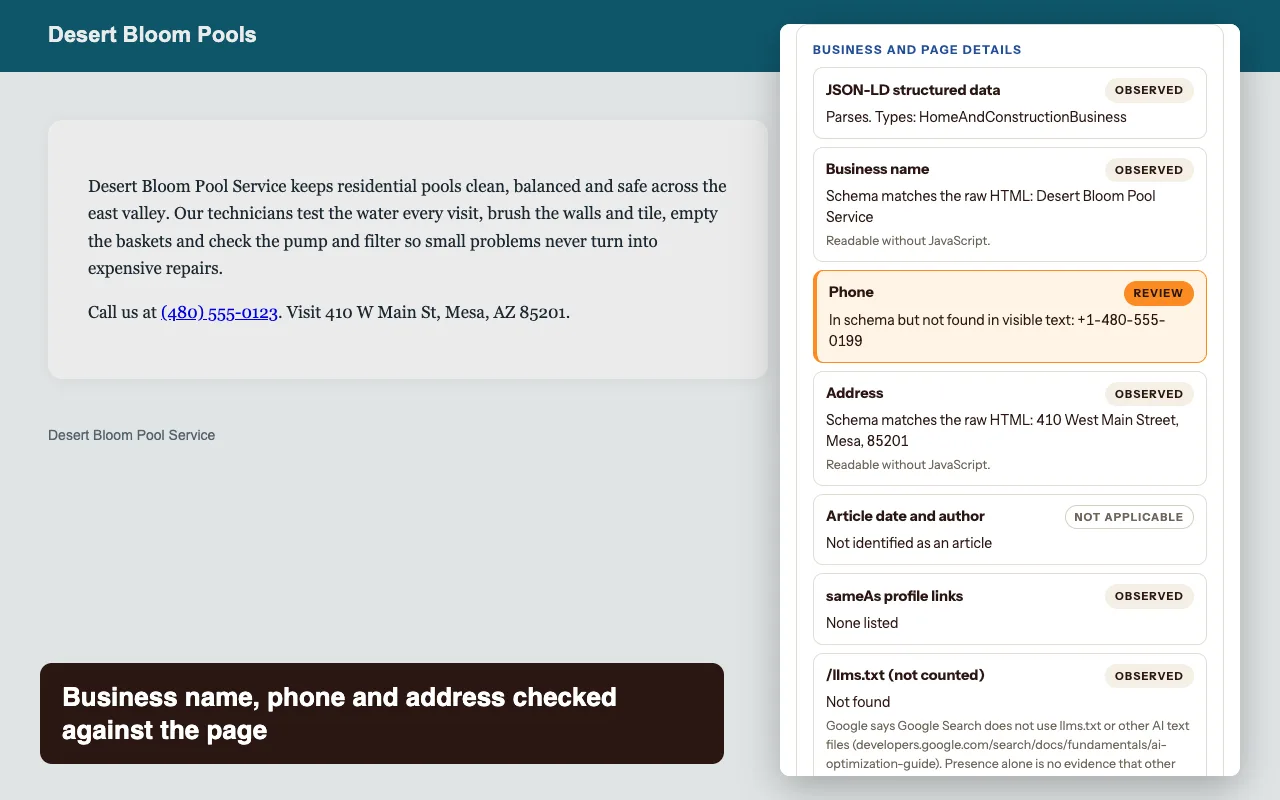
The AI SEO Checker business and page details section checking name, phone and address in schema against the visible page.
Business details in schema checked against the page.

Every Result Uses One of Four Labels

Observed means the checker saw it. Review means a person should look. Unable to verify means the checker could not tell, for example when a page timed out, redirected or asked for a login. Not applicable means the check does not fit this page. If the page or its robots.txt could not be read at all, the headline says "Check incomplete" and why, instead of a count.

There is no letter grade, and the checker never claims to predict whether an AI tool will recommend you. It reports what your browser saw on this request. A real crawler can be served something different.

Privacy details

Install the AI SEO Checker in Three Steps

  1. Open the extension's page in the Chrome Web Store and click Add to Chrome.
  2. Click the puzzle piece icon in the toolbar and pin AI SEO Checker.
  3. Open a public http or https page and click the icon. On the five live sites we tested, results appeared in under half a second. A slow site is cut off at 3 seconds.

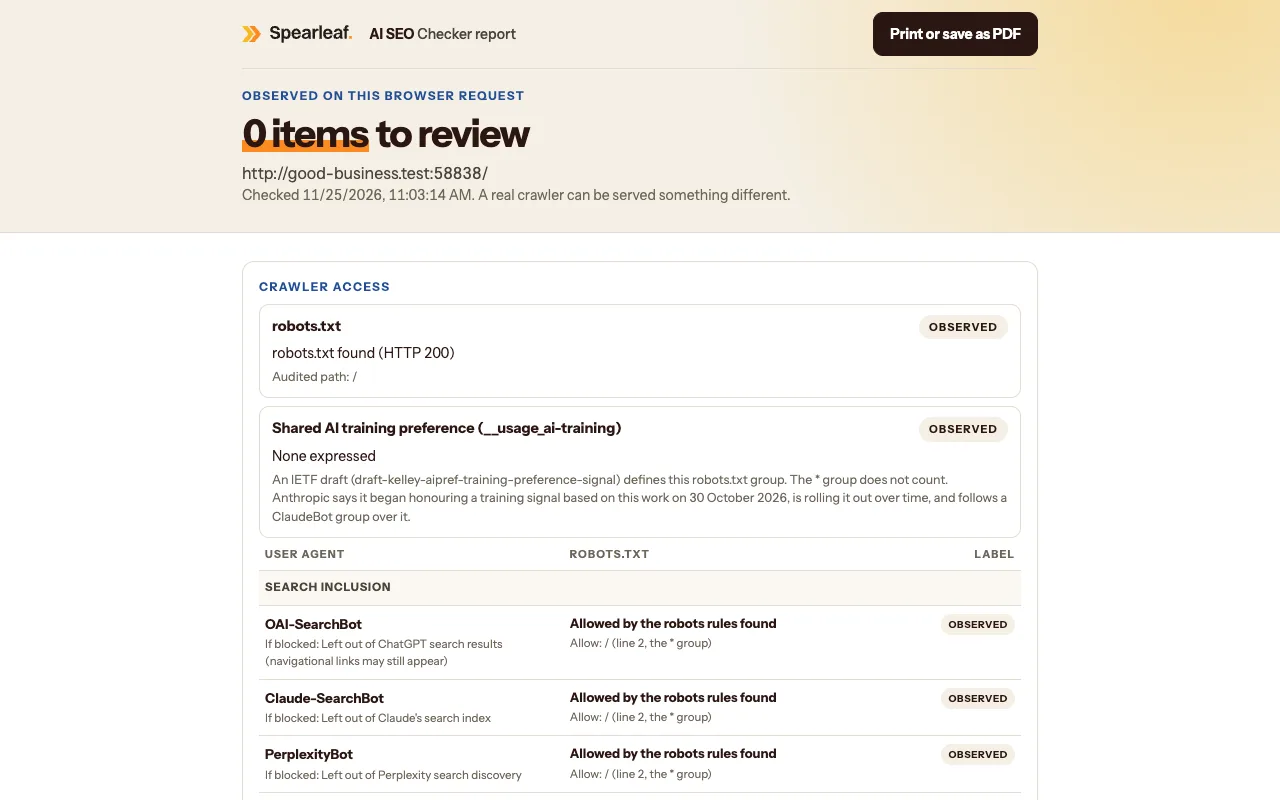
Use Copy report to paste the results into an email or ticket, or Printable report to save a PDF for a client.

The printable AI SEO Checker report for a page, ready to print or save as a PDF.
A printable report to share.

AI SEO Checker FAQs

Yes. There is no account, no trial and no paid tier.

No. The extension handles everything it reads on your device and never uploads your report. A check requests the page, /robots.txt and /llms.txt from the site you are viewing, so if you check a Spearleaf page, Spearleaf's site receives those same three requests, as any checked site does. Read the full privacy policy.

Three, all to the site you are viewing and only when you click: the page itself, /robots.txt and /llms.txt. They are sent without cookies or a referrer and stop within 3 seconds.

No. It never contacts an AI tool. It only shows what your robots.txt asks their crawlers to do and what a crawler that does not run JavaScript would find.

The crawlers that fetch a page when a person asks about it do not reliably follow robots.txt, so the rule alone cannot tell you what they will do. A robots.txt that redirects, or anything that did not answer within 3 seconds, also shows Unable to verify.

Yes. It works on supported public http or https pages. Chrome does not let extensions read Chrome's own pages, the Chrome Web Store or PDFs in Chrome's viewer.

GPTBot is OpenAI's training crawler. OpenAI uses OAI-SearchBot for ChatGPT search, so the checker shows the two separately.

Only if you turn on History. Then it keeps your last 20 reports on your own device, without query strings or fragments, until you click Clear history, turn History off or remove the extension.

No JSON-LD on your site yet? Build it with the free schema generator.

Spearleaf Runs a Free Market Audit for AI Search

The extension checks one page at a time. Spearleaf's free market audit looks at how your business shows up across search and AI tools in your market, and what to fix first.

Get the free market audit